Coming to App Store

Features

Everything you use every day, in one place.

Daily Use

Throughout the Day, What You Use Most.

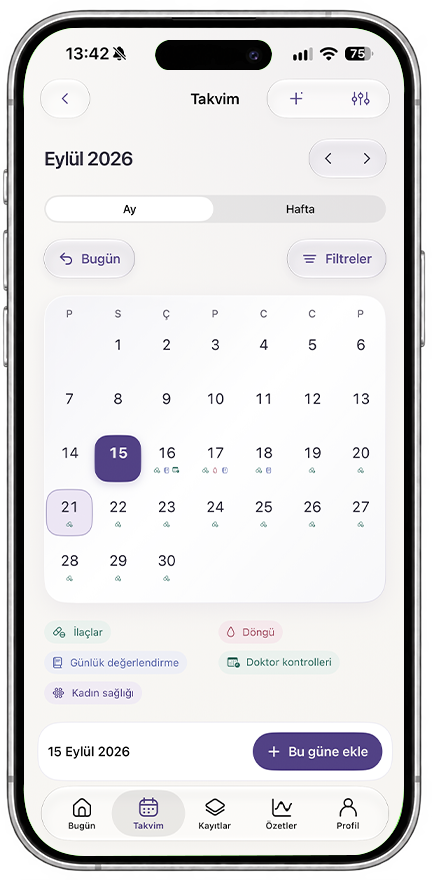
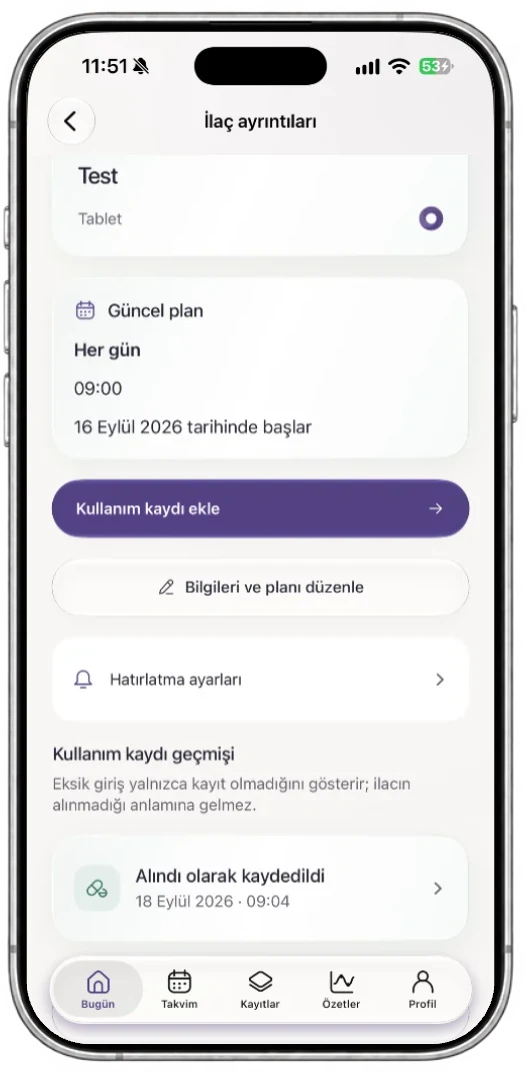
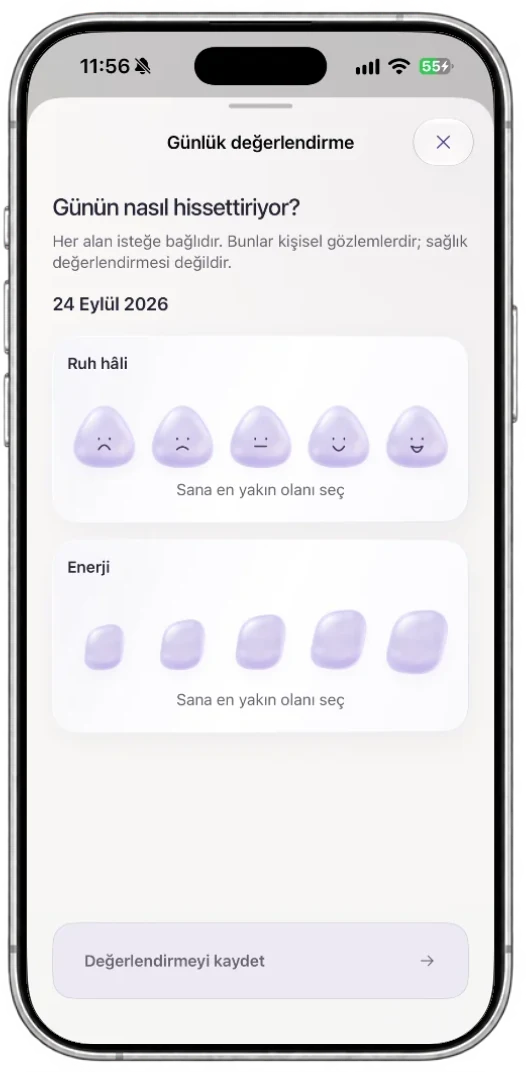
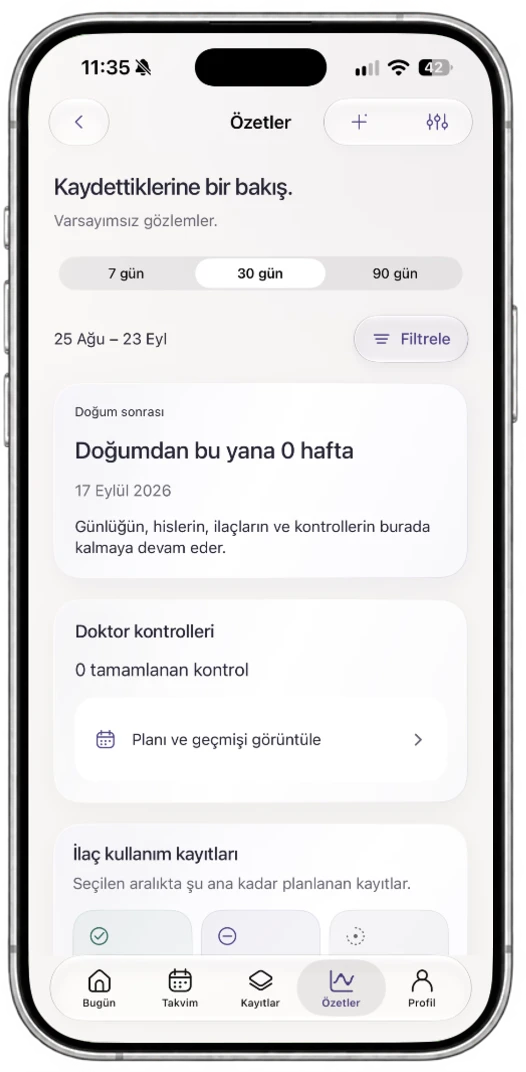
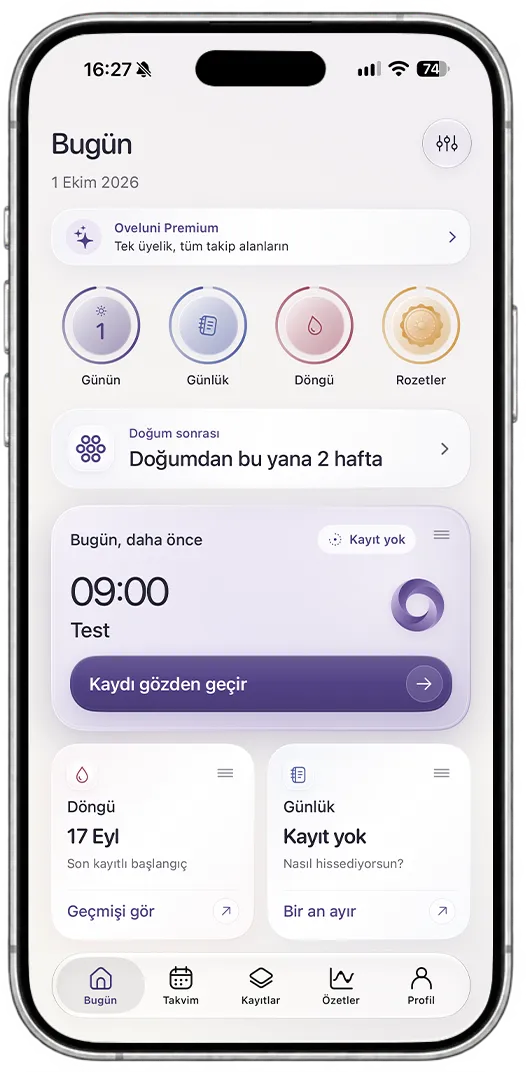
Today screen Calendar screen Medication details screen: current plan, add an intake record, reminder settings and intake history Daily check-in screen: five-point scale for mood and energy Summaries screen
01

Today

See what the day brings at a glance.

Your plans, reminders and records for that day gather on the same screen. Drag cards by their handle to set your own layout.

  • Plans and reminders for the day in order
  • Quick add, medications and all-day shortcuts
  • The last seven days at a glance

"Empty days stay empty. This is not a health score, but a summary of your records."

Today

September 22, 2026

3 plans • 1 reminder

+ Add record
02

Calendar and plans

Set up recurring plans once, and let the calendar handle the rest.

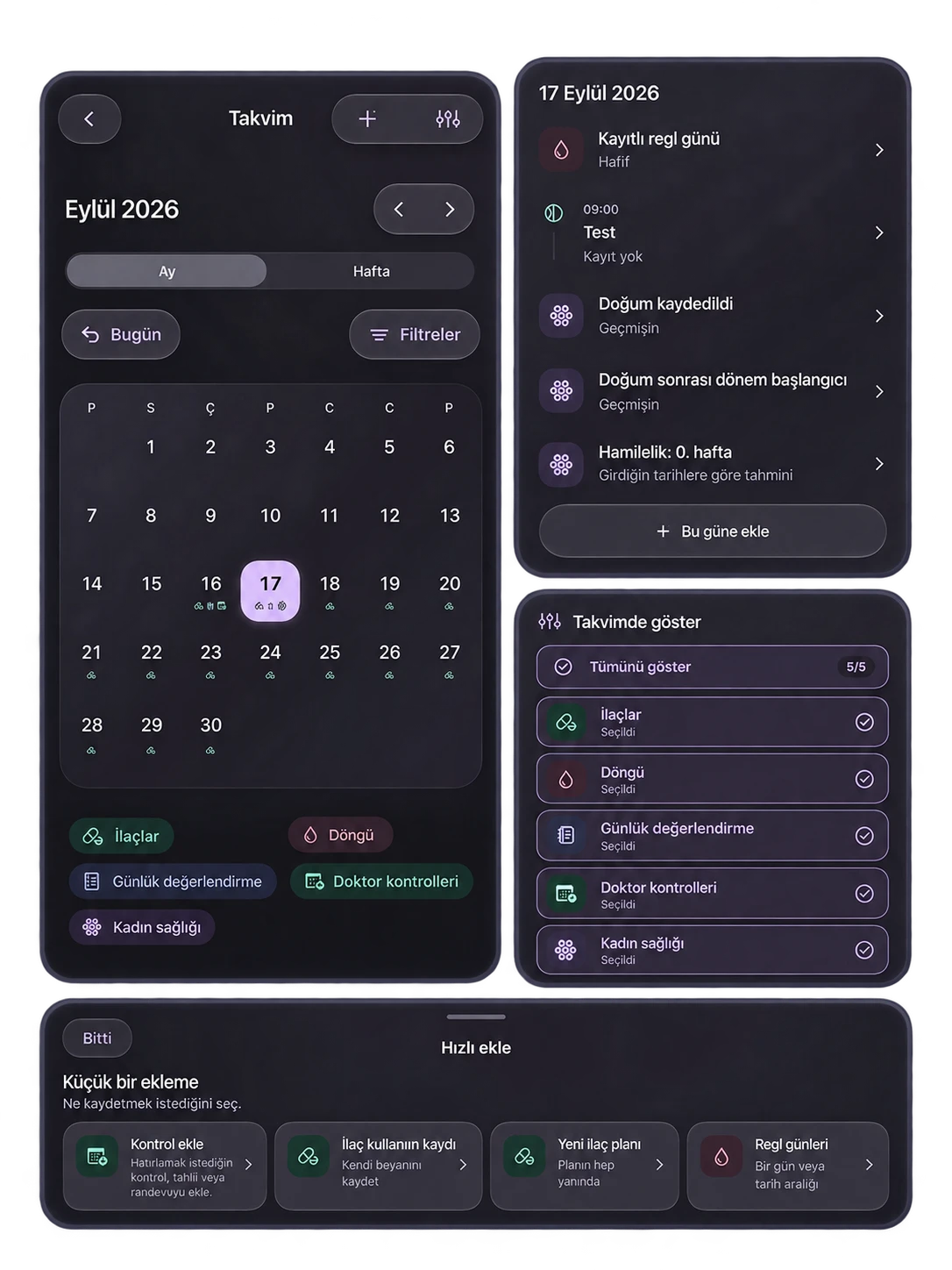
In monthly and weekly views, what happens on each day is separated by color; use filters to see only what you track.

  • Switch between month and week view
  • Filter by five categories
  • Hourly breakdown of the selected day

Calendar

September 15, 2026

Medications · Daily check-in

+ Add to this day
03

Medication and supplement plans

When, how much — write once, get reminded when the time comes.

You can add multiple times a day and log whether you took or skipped it. Editing the plan does not break the history; it creates a new plan version.

  • Dose, unit, start and end date
  • Taken / skipped status and note
  • Archiving: removes from active list, preserves history

"A missing entry only shows there is no record, it does not mean the medication was not taken."

Medication reminder

Vitamin D3

Every day 09:00

Reminder
04

Daily Check-in

Note how your day went in your own words.

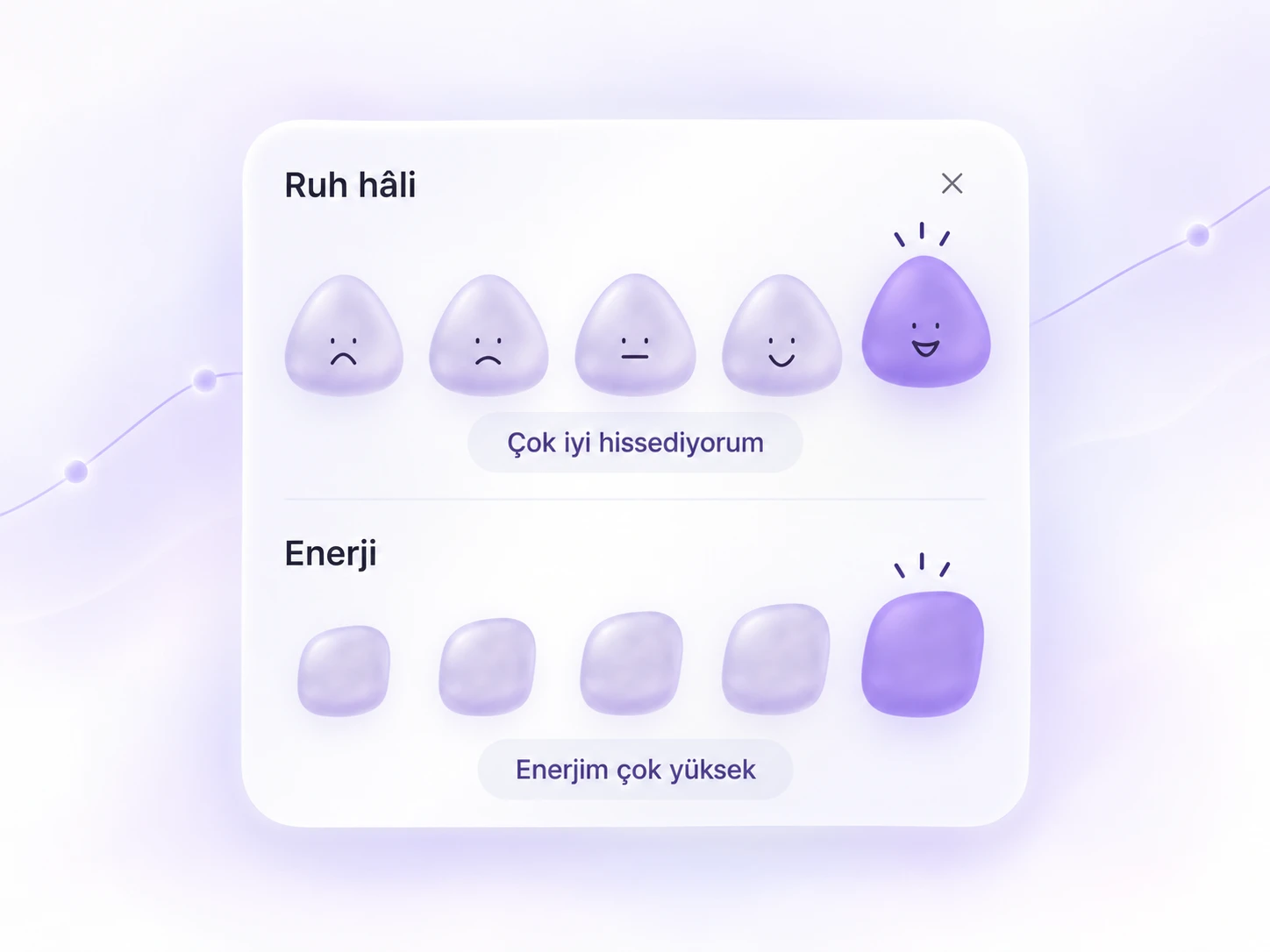
Mood and energy are optional; you choose which areas appear. Over time, these notes turn into a journal you can look back on.

  • Five-point scale for mood and energy
  • Free-form note area
  • Read back by date

"Skipped areas stay blank; they are never counted as zero."

How is today going?

Daily Check-in

Mood · energy · note

☹️🙁😐🙂😄
05

Summaries and comparison

Your records turn into weekly and monthly summaries.

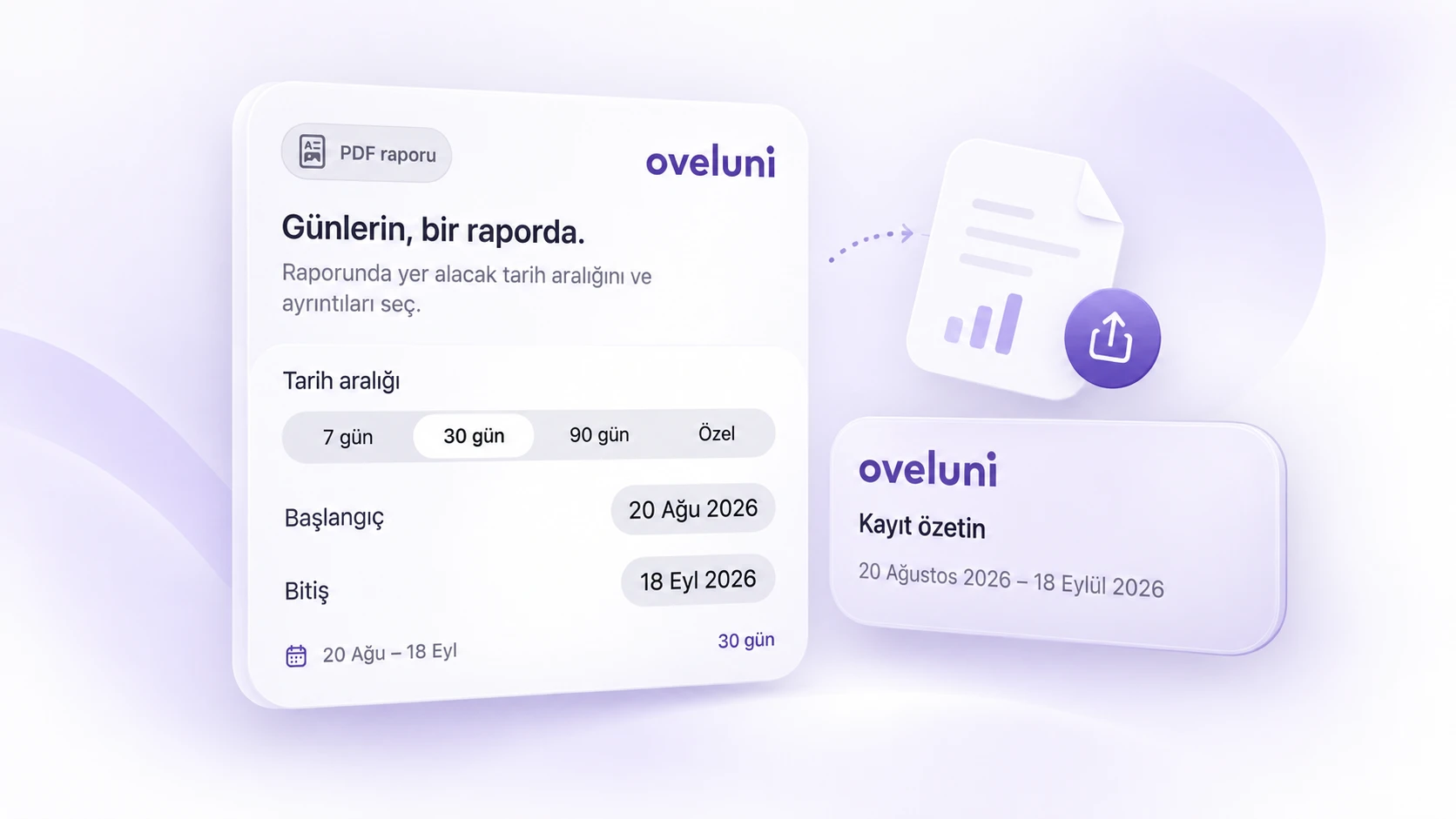
Choose 7, 30 or 90 days; view medication intake as taken, skipped and no record separately. Place two equal periods side by side to compare your records, and export to PDF if you like.

  • Date range comparison: previous period → selected period
  • Accessible data list under charts
  • PDF report with category selection

"These summaries reflect your records. They do not diagnose or predict future cycles."

September 2026

Monthly breakdown

Record Types

Six record types, in one place.

Access six record types from the quick add menu. They all gather by category in Records; you can look back whenever you want.

Quick add One tap from the Today screen 6 records

None are required; the choice is entirely yours.

Add a visit Doctor visit form 6 field

"No reminder automatically completes a visit."

Records Where they all pile up 6 categories

Skipped areas stay blank; they are never counted as zero.

You're in Control

You decide what you record.

Organize your home screen

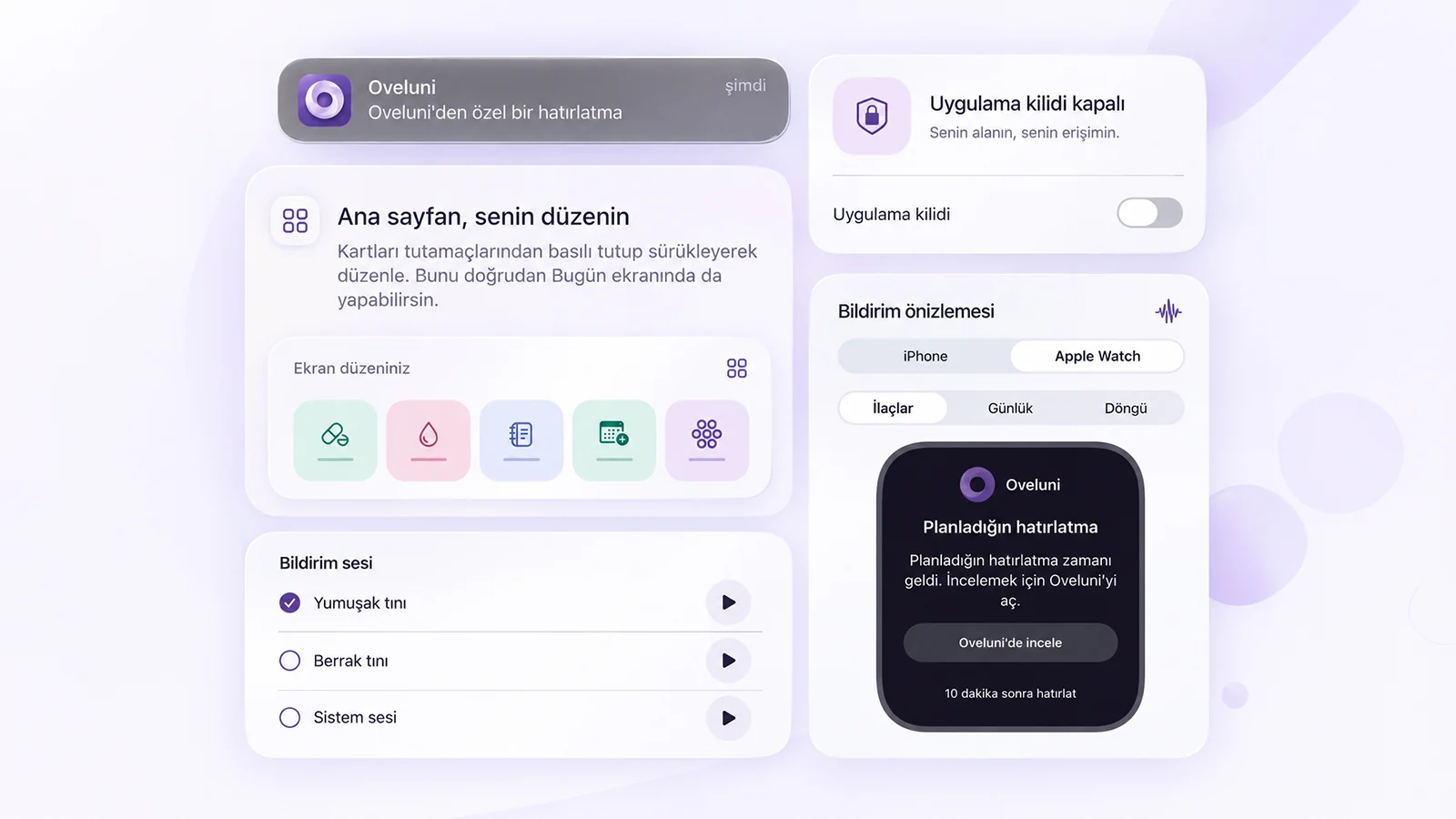
Drag and drop cards to reorder, hide what you don't use. Five tracking areas and three support sections are set separately.

Light or dark mode

Light, dark, or match your iPhone. Mood and energy can be toggled separately in daily check-in preferences.

Toggle tracking areas

Medications, cycle, daily check-in, doctor visits, and women's health. Disabling an area keeps its history.

Eleven languages

Available in eleven languages. Your own notes are not translated and stay just as you type them.

Shape notifications

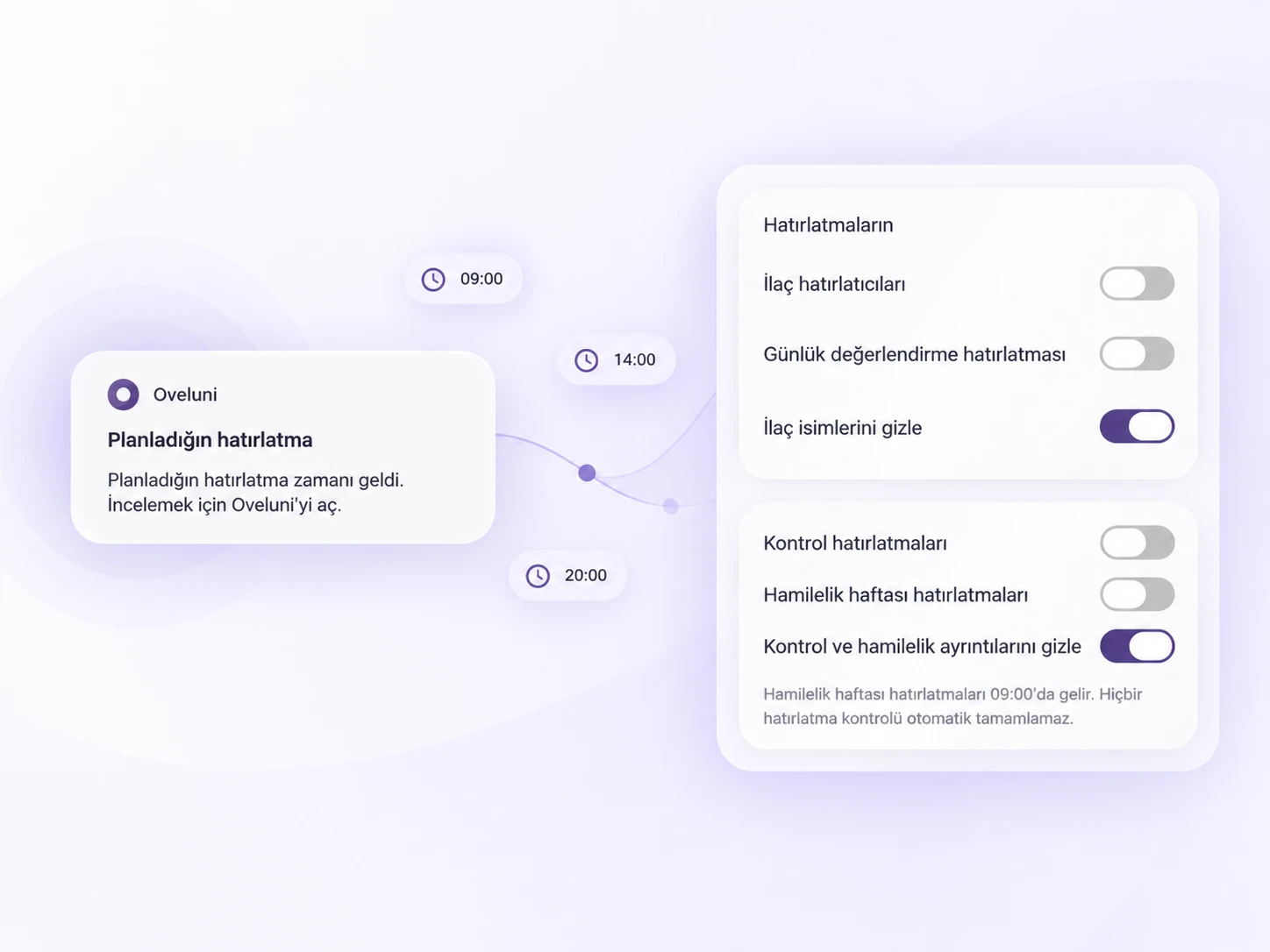
Medication, daily check-in and doctor visit reminders. Four notification sounds, test notification and hide toggles.

Date and time zone

Use your iPhone settings or pick your own time zone. Period days keep their calendar date while traveling.

Apple Watch

Reminders go to your wrist too. See notification previews for your iPhone and Apple Watch separately.

Badges

Six badges for one, three, seven, fourteen, thirty and sixty days. Rewards keeping records; not a health score.

Privacy First

Your records stay with you.

Stays on your device

Stored on this iPhone. No automatic cloud backup or analytics tracking.

No cloud No analytics

Notification privacy

Hide medication names and check-up details in notifications.

Oveluni Medication reminder •••••• · 09:00 Oveluni Doctor visit reminder •••••••••

App lock

Lock with Face ID, Touch ID or your device passcode.

Encrypted backup

With your own passcode, at least 12 characters. Oveluni cannot recover your passcode.

oveluni-backup 12+
When switching devices

Your records come with you.

Move your encrypted backup to your new phone; everything stays in place, including hidden areas.

With or without an account, your records stay on this device and are not deleted when you sign out.

Women's Profile

By your side in every phase of life.

If you set your profile to Women's Profile, the cycle and women's health areas open up. You can also choose Man or Prefer not to say; Oveluni works the same way in all three profiles, and these areas are optional.

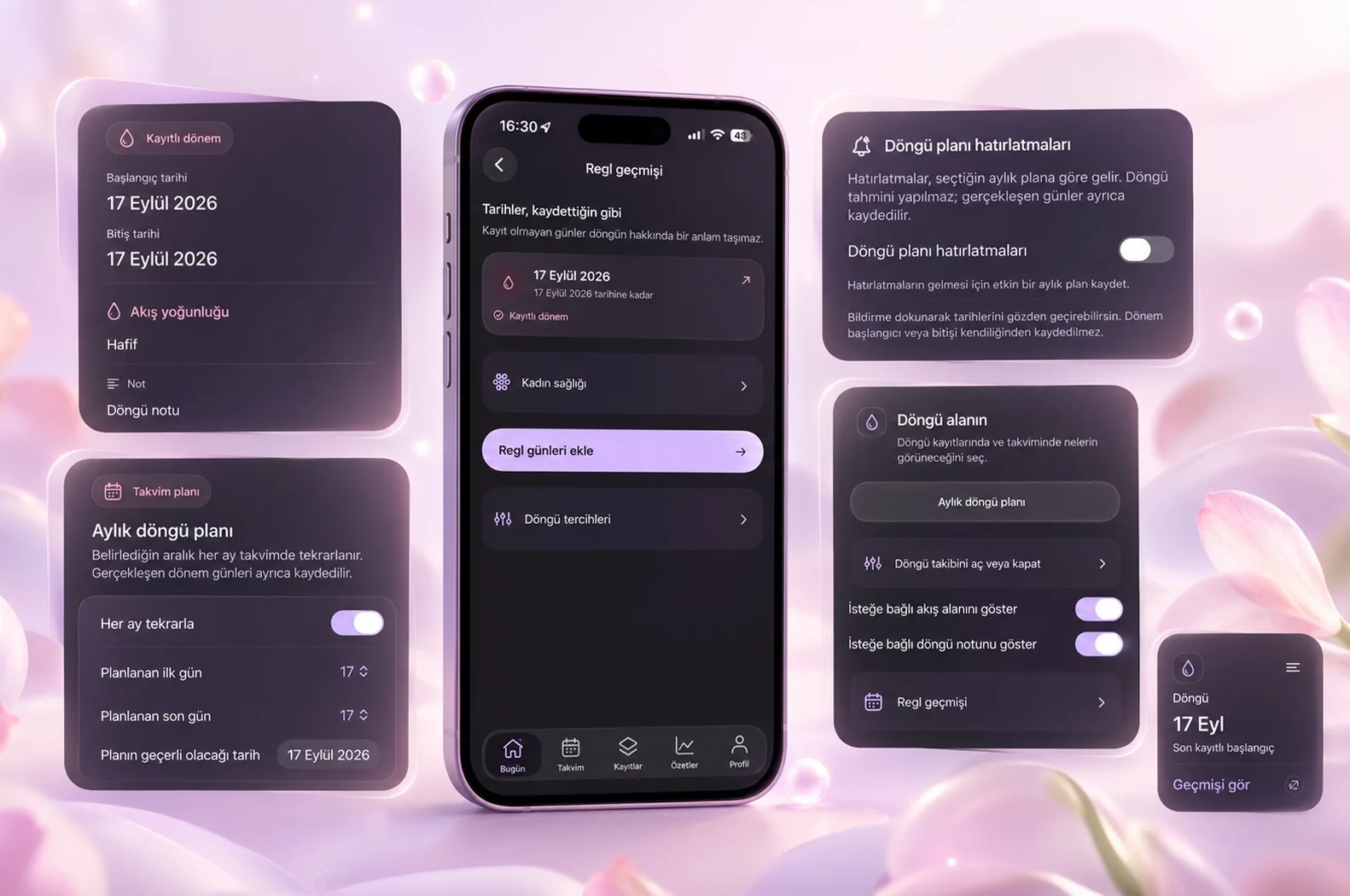
Only recorded history is shown. There is no fertility, ovulation or pregnancy prediction.·This is a plan you set, not a cycle prediction.

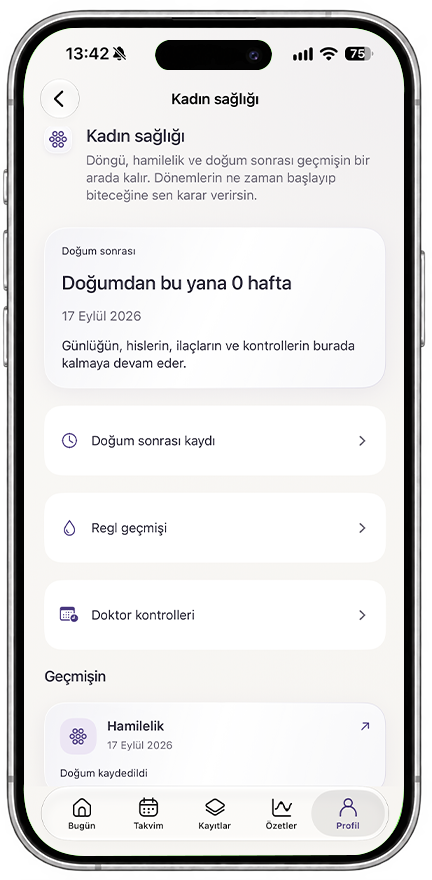
Oveluni women's health screen

Women's Health

Cycle, pregnancy and postpartum on one screen

Cycle and period history

Log your periods, see your history day by day.

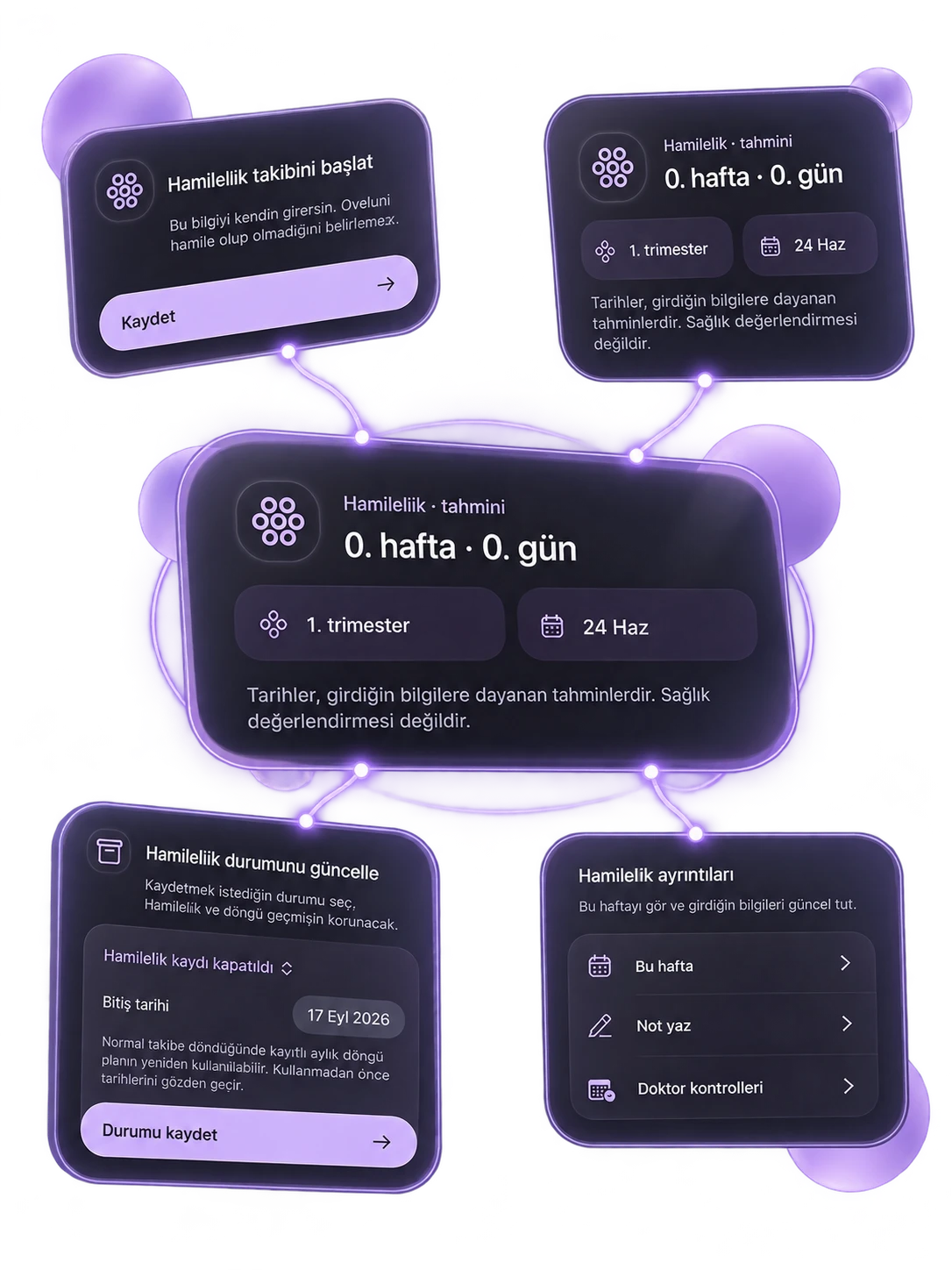
Pregnancy tracking

Turn it on if you like; if not, everything stays the same.

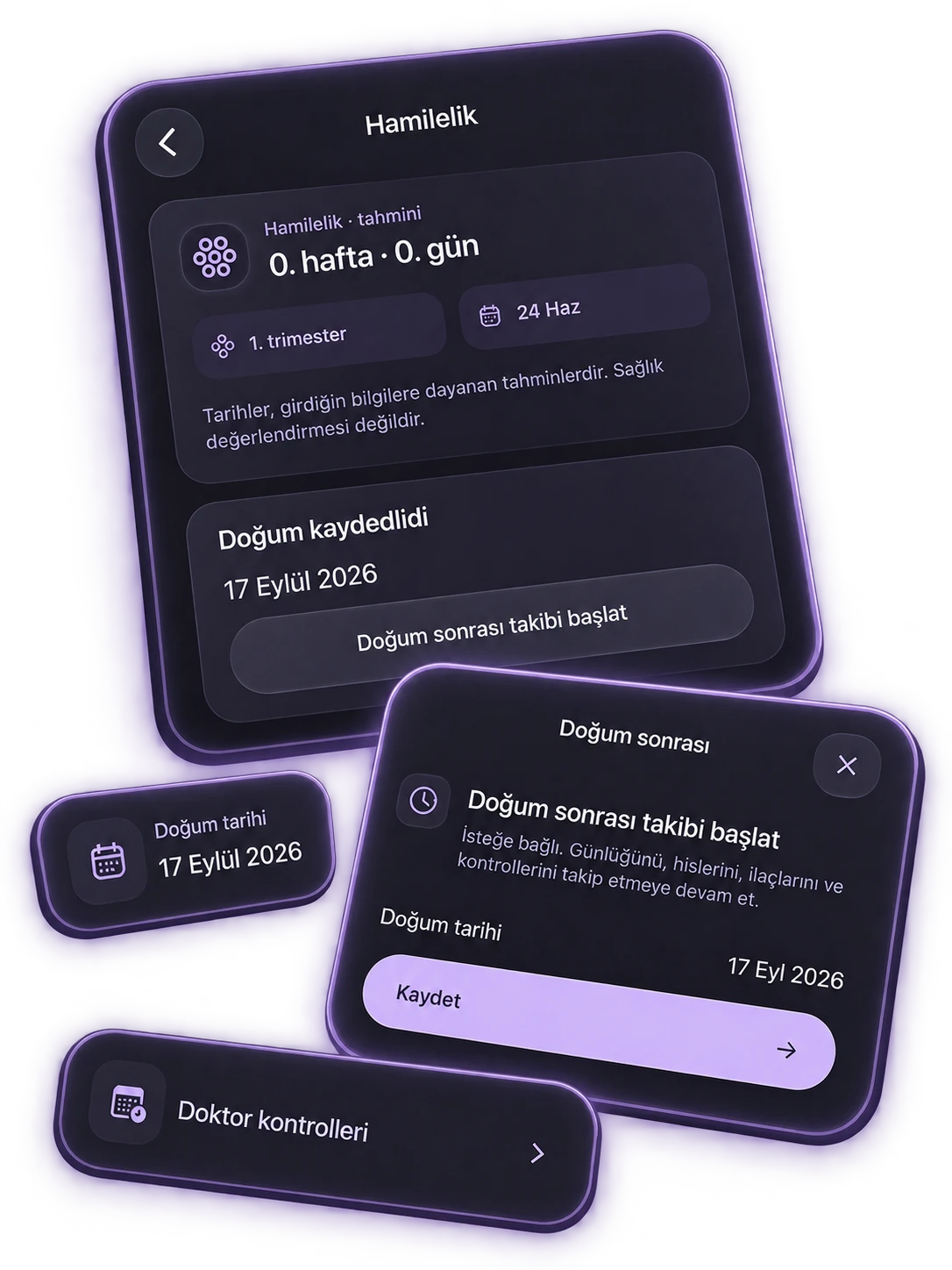
Postpartum

It starts as a separate period, it does not mix.

Cycle and period history

Log your periods, see your history day by day.

Pregnancy tracking

Turn it on if you like; if not, everything stays the same.

Postpartum

It starts as a separate period, it does not mix.

Together in the Calendar

Medication, check-in, check-up and cycle side by side.

Doctor Visits

Opens directly from the Women's Health screen.

You set the start

Oveluni does not predict cycles, it shows your records.

Together in the Calendar

Medication, check-in, check-up and cycle side by side.

Doctor Visits

Opens directly from the Women's Health screen.

You set the start

Oveluni does not predict cycles, it shows your records.

Premium

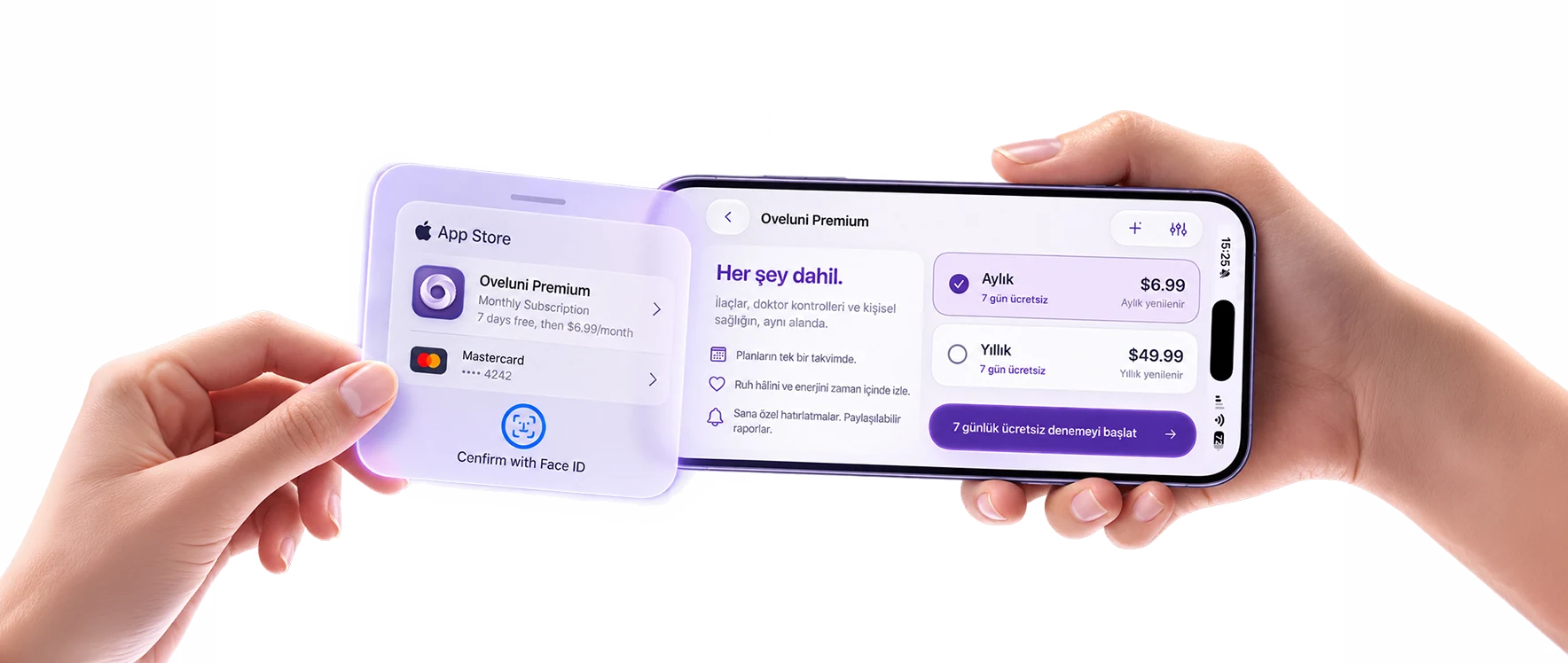
Try Free for 7 Days, Everything Open with One Membership

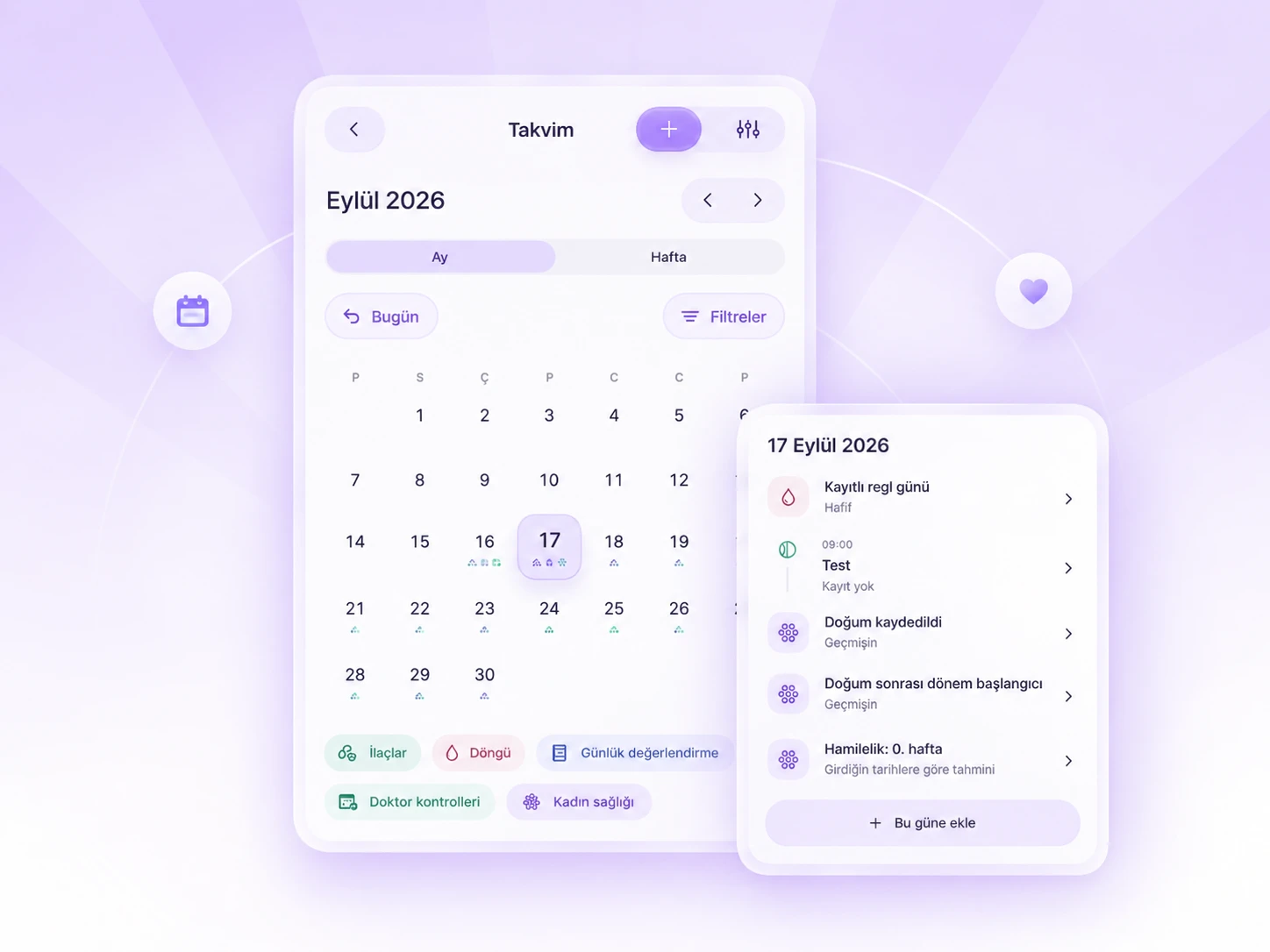
Oveluni calendar screen and day details

Your plans in one calendar

Your medication plans, doctor visits and records come together in the same calendar.

Oveluni mood and energy entry

Follow along over time

See your mood and energy spread across weeks and months.

Oveluni reminder settings and times On Apple Watch too

Reminders made for you

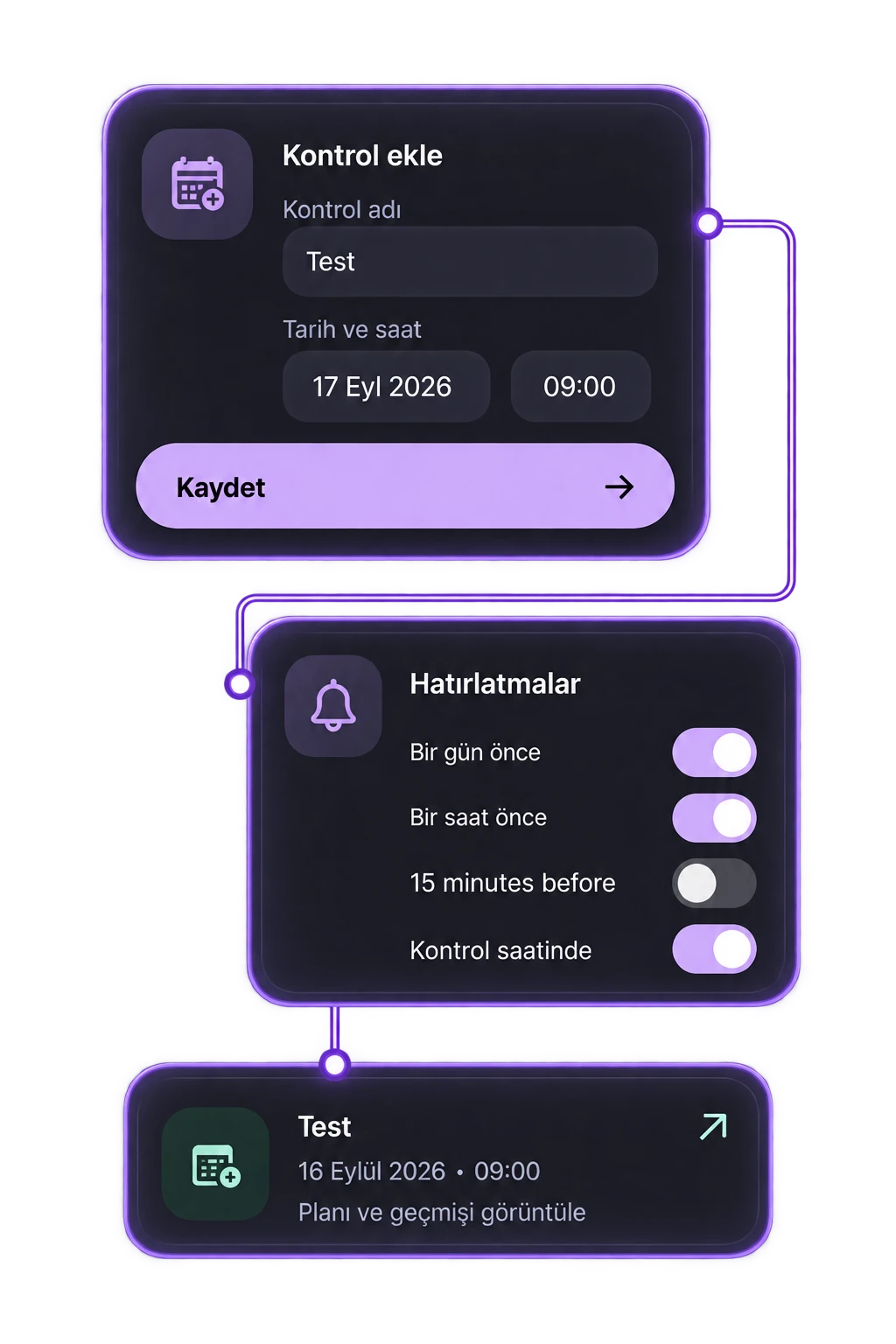
Set up around your own plan; when it's time, they appear on your iPhone and Apple Watch.

Oveluni PDF report date range selection

Shareable reports

Turn what you've recorded into a report you can export and take with you.

Oveluni notification preview, app lock and home screen layout

Customize it your way

Adjust many of the app's settings, starting with notifications, to fit your routine.

Pricing

One Plan, Two Ways to Pay

Monthly

Renews monthly; stop whenever you like.

$6.99

per month

Tracking areas

  • Medications
  • Cycle
  • Daily Check-in
  • Doctor Visits
  • Women's Health: pregnancy and postpartum

Cycle and Women's health open in the women's profile.

In this plan

  • No commitment
  • Stop in any month you like
  • Starts with 7 days free
  • No record limit
  • No ads
  • Your history is kept

iPhone · 11 languages · Cancel via the App Store

Yearly

Pay once a year and stay open all year.

$49.99

per year · ~$4.17 a month

40%
savings

Tracking areas

  • Medications
  • Cycle
  • Daily Check-in
  • Doctor Visits
  • Women's Health: pregnancy and postpartum

Cycle and Women's health open in the women's profile.

In this plan

  • Keep $33.89 a year in your pocket
  • One payment a year, open all year
  • Starts with 7 days free
  • No record limit
  • No ads
  • Your history is kept

iPhone · 11 languages · Cancel via the App Store

Both options start with a 7-day free trial. The subscription is managed through the App Store and you can cancel anytime. It renews automatically unless canceled at least 24 hours before the period ends. Prices are in US dollars; the App Store shows them in your local currency.

FAQ

What you wonder.

The app's own Help Center has 21 questions; 8 of them are here.

  • Is Oveluni a medical app?

    No. Oveluni is a personal record-keeping and tracking tool. It does not diagnose, name conditions or interpret your records to give advice. It keeps whatever you record organized and easy to read; you make decisions about your health with your doctor.

  • Does it predict my cycle or fertility?

    No. You decide when a period starts and ends; the app does not predict your cycle. The dates you enter stay on the calendar in their own color, and you can see your past cycles day by day.

  • How do I turn on the women's profile?

    Choose your profile type in the Gender section of Settings: female, male or prefer not to say. When you choose female, the Cycle and Women's health areas open; pregnancy and postpartum tracking are part of Women's health. You can change your choice later; your earlier records are kept.

  • How does the free trial work, and how do I cancel?

    Both payment options start with a 7-day free trial. The subscription is managed through the App Store; you can cancel at any time in your iPhone's Settings → Subscriptions.

  • Where are my records stored?

    Your records are stored on this iPhone. There is no automatic cloud backup or analytics tracking. With or without an account, your records stay on the device; they are not deleted when you sign out.

  • What happens to my records if I change phones?

    You create an encrypted backup with your own password and move it to your new iPhone; all your records come with it, hidden fields included. The password must be at least 12 characters long and Oveluni cannot recover it — your account and subscription are not included in the backup.

  • Will my medication names show in notifications?

    Not if you do not want them to. In the Notification Privacy section you can hide medication names and visit and pregnancy details. You set the preview separately for iPhone and Apple Watch.

  • What happens to my records if my subscription ends?

    Your records stay. When your subscription ends, they remain viewable, exportable and deletable; new records, editing and summaries require Premium. You can access your reports even without an active subscription.

Didn't find what you were looking for? info@oveluni.com — or check the Help Center in the app.