Coming to App Store

Women's Profile

No predictions, your records.

Profile Type

One app, areas shaped around you.

When you choose your profile type, areas just for you open up; medications, daily check-in and doctor visits are always with you. In the other profiles you continue with the shared areas.

Male Continues with the shared areas.
Female Five tracking areas are open. Cycle and Women's health open
Prefer not to say The same shared areas stay open.

Areas open in this profile 5

  • Medications
  • Cycle
  • Daily
  • Checkups
  • Women's health

You can change your profile type at any time.

The history of areas you turn off is kept.

Women's Health

In every period, your records stay with you.

Organize your history, from your cycle to pregnancy and postpartum, in one place.

Shared in every profileMedicationsDaily check-inDoctor visits

Record your period days; you decide when they start and end.
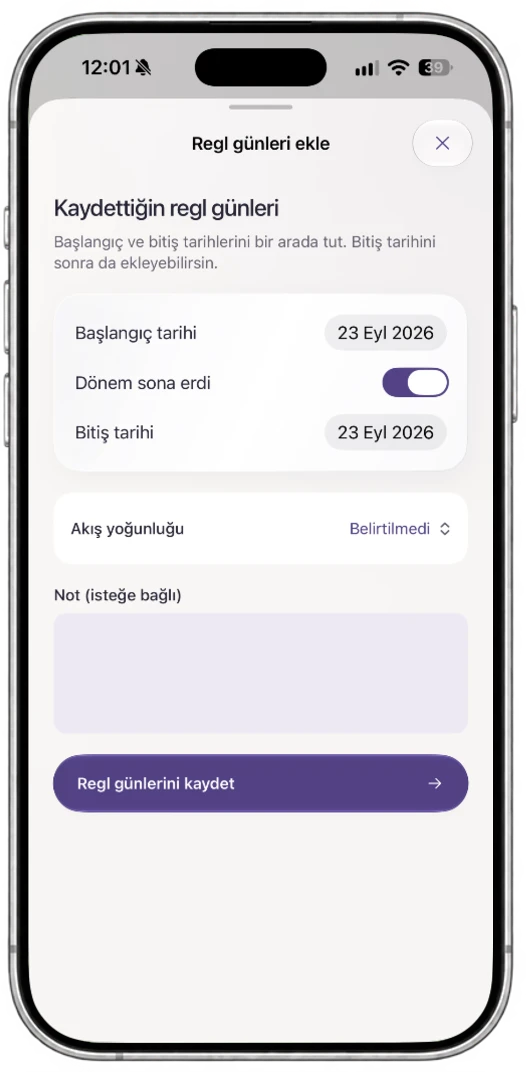
  • DatesStart and end
  • FlowIntensity
  • NoteYour own note
  • When a period is over, close it with “Period ended”
  • Add flow intensity and your note to the same record

Days without records say nothing about your cycle.
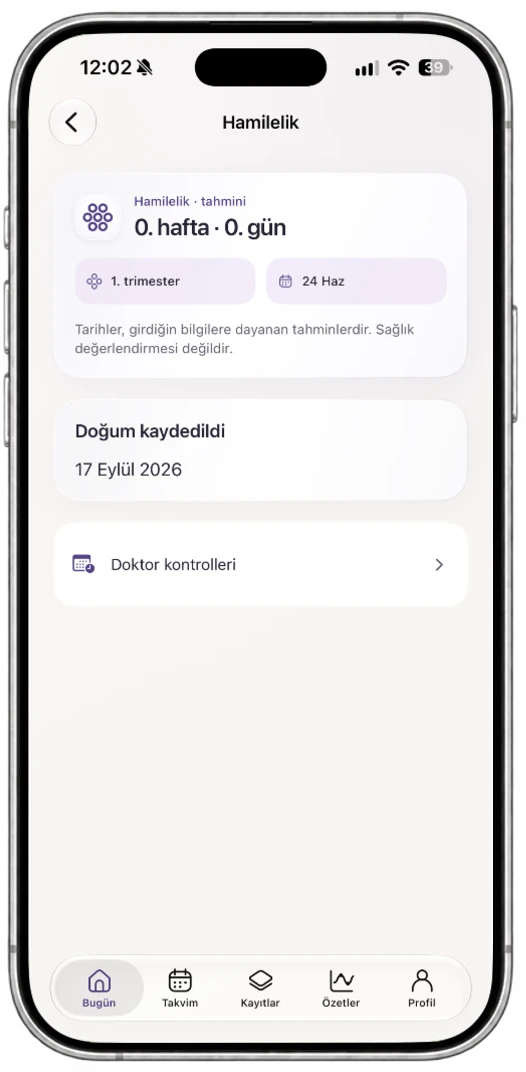
Follow your week and record what matters to you.

  • WeekWeek and day
  • CheckupsDoctor visit
  • ReminderWeekly notification
  • See your week and trimester based on the dates you enter
  • Keep your check-ups and notes in the same history

Dates are estimates based on what you enter. They are not a health assessment.

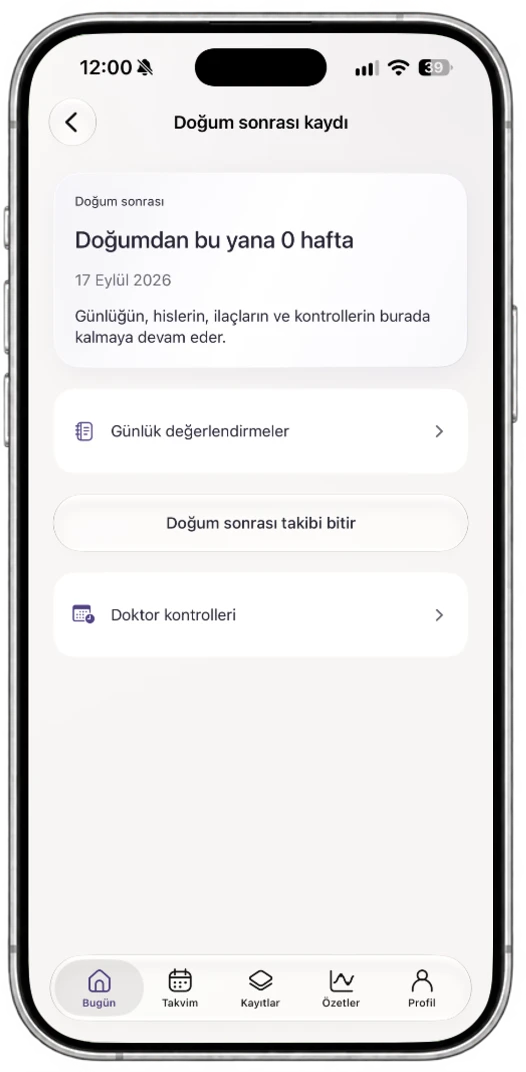
Follow the weeks after giving birth and keep up your records.

  • StartYour birth date
  • DailyFeelings, notes
  • CheckupsDoctor visit
  • See the weeks since giving birth
  • Your journal, medications and check-ups carry on where they left off

You decide when each period starts and ends.

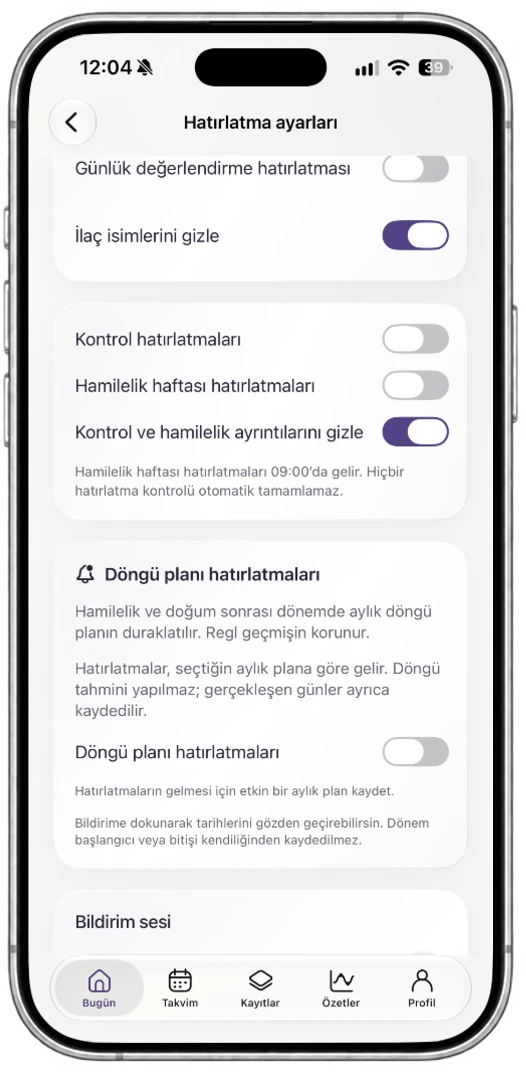
Reminders follow your plan; you choose what shows in a notification.

  • Cycle planPlan reminder
  • PregnancyWeekly notification
  • PrivacyHide details
  • Hide check-up and pregnancy details in notifications
  • Lock the app with Face ID or your device passcode

This is a plan you set; it is not a cycle prediction.

01 / 04 · CYCLE

Oveluni Add period days screen: start and end date, flow intensity, note
Oveluni Pregnancy screen: estimated week, trimester and doctor visits
Oveluni Postpartum record screen: weeks since giving birth
Oveluni Reminder settings screen: pregnancy week and cycle plan reminders

It only organizes the records you enter.

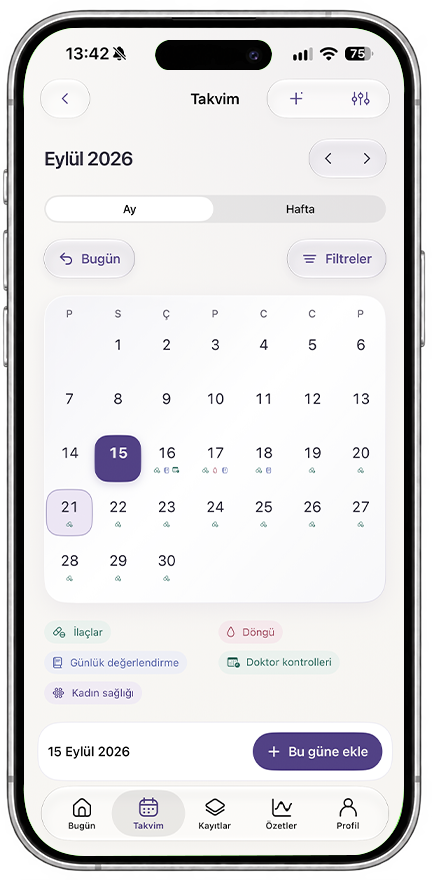
From Calendar to Summary

Tap a day, see the whole story.

Your daily records start in the calendar and turn into meaningful summaries.
See every part of your records at a glance.

September 2026
Medications Cycle Daily check-in Doctor visits Women's health
Oveluni calendar and summaries screens

Your summaries

15 – 18 September 2026

Medication routine

5/615 – 18 September

Mood

4 records15 – 18 September

Cycle records

2 records15 – 18 September

Checkups

1 records15 – 18 September

In this range12 records

Small steps add up to a bigger picture.

Breakdown of 12 records

  • Medications5
  • Mood4
  • Cycle2
  • Checkups1

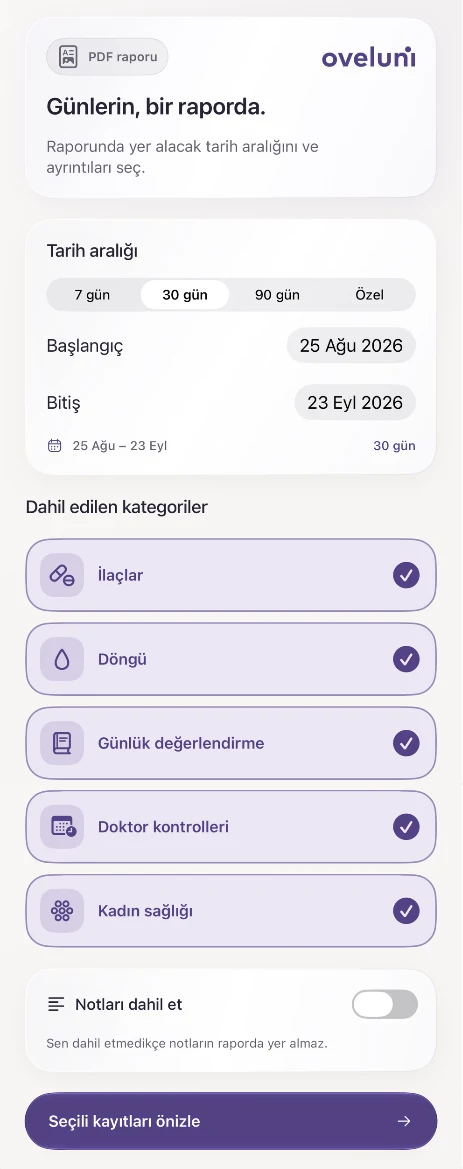
Reports

From your choices to a shareable report.

Set the scope in the app, check the preview and create the PDF when it is ready.

01 · PREPARE

Preparing the scope · 5/5

  • Medications
  • Cycle
  • Daily check-in
  • Doctor visits
  • Women's health
PDF report
  1. 1Select
  2. 2Combine
  3. 3Check
02 · PREVIEW

Notes excludedSelected dates only

Contains no medical assessment.

Privacy

Your space, your access.

  • Hide details in notificationsYou can hide check-up and pregnancy details and medication names in notifications.
  • App lockUse Face ID, Touch ID or your device passcode when you return to Oveluni.
  • Stored on this iPhoneThere is no automatic cloud backup or analytics tracking.
All privacy details

Frequently Asked

What's on your mind.

Pick a question; the answer comes from the app's Help Center.

Health journey

Calendar and Cycle

Data and Security

Help CenterAnswers from the app

Health journey

Today

How do I start pregnancy tracking?

Pregnancy tracking is optional and only turns on when you start it. You can use the first day of your last period, your estimated due date or your current week of pregnancy. Oveluni shows estimates based on what you enter; it does not determine whether you are pregnant. While an active cycle plan is paused, your earlier cycle records stay in your history.

Help Center
Pick a question

The Help Center in the app has 21 questions and answers.