


Where is your health data stored? Privacy settings in apps
Cloud, device, backup… Knowing what each setting means keeps you in control.
- 6 min read
- 6 sections

In short
- On the device, or in the cloud?
- What does "backup" mean, and who can open it?
- Is creating an account required?
- Analytics and third parties
- Privacy settings on your phone
Everything you write into a health app stays somewhere: on your phone, on a company's server, or both. Most of the time we tap "Accept" without thinking about it. But knowing a few basic concepts lets you understand what each setting means and keep control of your records.
On the device, or in the cloud?
An app can store your data in two basic ways. On-device storage means your records stay on your phone; you can access them even without an internet connection. Cloud storage means the data is sent to a server, from where it can be synced to other devices.
Both have their upsides and downsides. The cloud makes switching devices easier, but it also means your data exists somewhere else too. On-device storage keeps your data with you, but leaves taking a backup up to you before you change phones. What matters is knowing which one the app you use does.
What does "backup" mean, and who can open it?
The word "backup" can describe different things. Your phone's automatic cloud backup, a copy the app takes to its own server, and a backup file you create and keep yourself are all different from one another. What this difference means if you lose your phone is covered in lost your phone? What happens to your health data. If you'd rather keep your backups off the cloud, we've gathered 5 ways to back up health records without the cloud.
- Find out where the backup is stored: on your phone, in a cloud service, or on the company's server?
- Check whether the backup is encrypted. If it is, it matters who knows the password: only you, or the company too?
- Find out what happens if you forget your password. Not being able to recover the password can seem frustrating, but it usually means the company doesn't know your password either.
Is creating an account required?
Some apps ask for an email address and password before you can start using them. An account may be necessary in systems where data is kept on a server; but in an app that only works on the device, creating an account is often not required. If you do create an account, find out in advance what happens to your records when you sign out or close your account.
Also check your right to delete. If you decide to stop using an app, can you delete your records? Is it possible to select and delete only some records? The answers to these questions should also be written in the privacy policy or the app's settings.
Analytics and third parties
Many apps use analytics tools to understand how they're used. These tools can collect information like which screen you opened and how long you stayed there, and sometimes work with third-party companies. This detail matters when health records are involved.
The privacy section on the app's App Store page summarizes what data is collected. Searching the privacy policy for the words "third party," "sharing" and "analytics" also gives you a quick idea.
Privacy settings on your phone
Wherever the data is stored, what someone who picks up your phone can see is also part of privacy. We explain why an app lock matters and how to set it up in why you should lock your health app with Face ID.
- App lock: Locking the app with Face ID, Touch ID or a passcode asks for separate verification to enter the app, even while the phone itself is unlocked.
- Notifications: Notifications shown on the lock screen can include a medication name or appointment detail. Prefer apps where you can choose what's shown.
- Sharing: Before sharing a report, review what's in it, especially whether your personal notes are included.
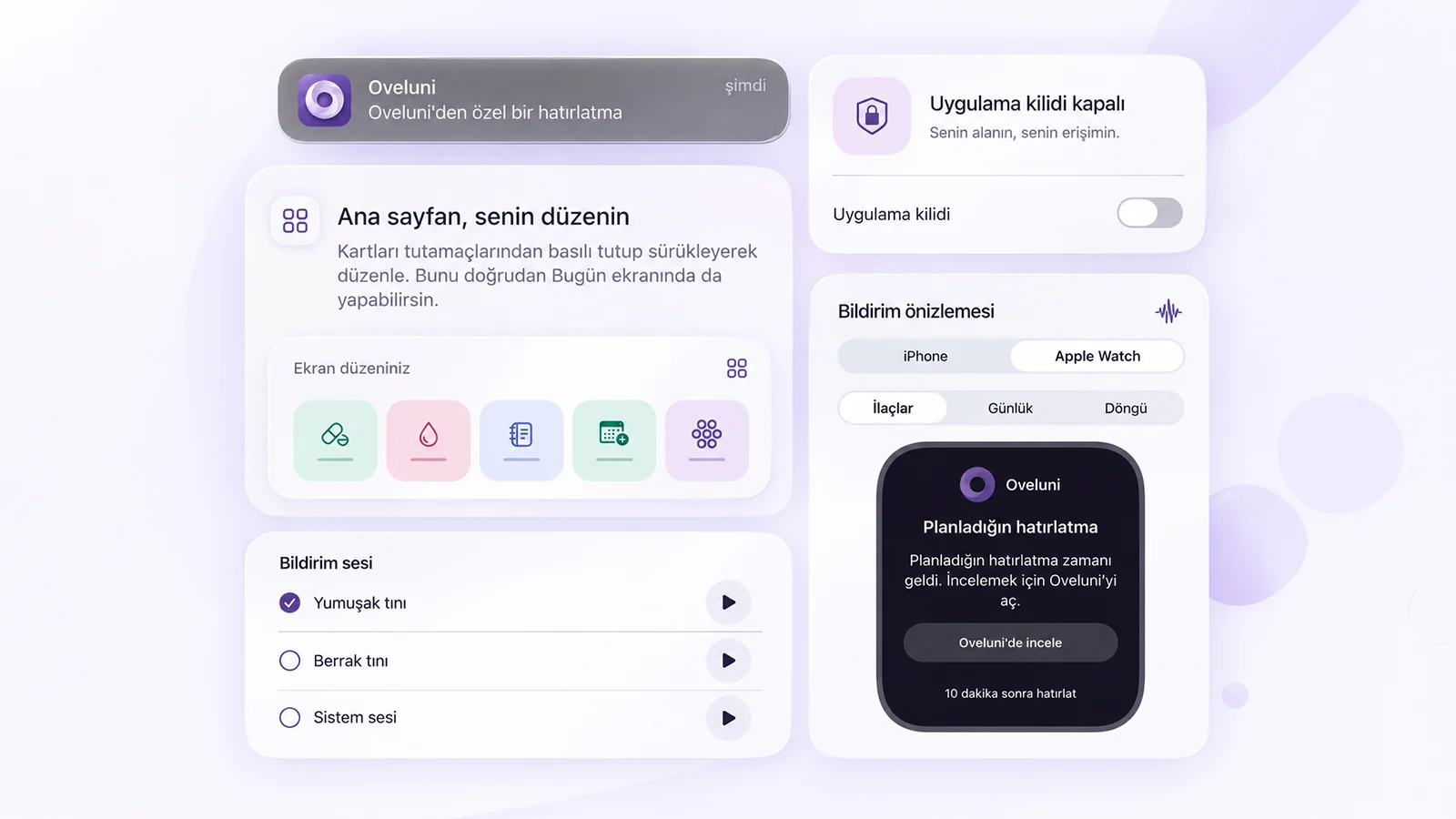
Privacy settings in Oveluni
In Oveluni, your records are stored on this iPhone; there's no automatic cloud backup or analytics tracking. Records and preferences are stored with iOS file protection. Here's where you're in control, in Settings:
- My account: Creating an account isn't required. You can sign in with Apple if you want; your records aren't deleted when you sign out.
- App lock: Turn it on from Privacy & Security, and Oveluni opens with Face ID, Touch ID or your device passcode.
- Notification Privacy: You can hide medication names, and check-up and pregnancy details in notifications.
- Encrypted backup: Creates a backup with your own password of at least 12 characters, which you restore from the file when needed. Oveluni can't recover your password. You need to take a backup before changing devices or removing the app.
- PDF report: You choose which categories go into the report; notes aren't included by default.
- Delete records: From Data Privacy you can delete only the records you choose.
Whichever app you use, knowing where these settings are keeps control of your records in your hands.
This article is for general info only. It does not offer diagnosis or treatment; it provides practical suggestions on recording and tracking. Consult your doctor for health decisions. Last updated: 23 September 2026
Was this article helpful?
Thanks, we got your feedback.