


Keeping pregnancy check-up dates in one calendar
With check-ups, notes and questions in the same place, preparing for the next appointment gets easier.
- 5 min read
- 5 sections

In short
- Why one calendar?
- What should you record for each check-up?
- Write your questions before the appointment
- After the appointment: record notes the same day
- Pregnancy and check-ups in Oveluni
During pregnancy, your calendar fills up: check-ups, tests, notes after an appointment, questions you want to ask at the next visit… When these are scattered across different pieces of paper, messages and apps, keeping track of what happens when can get tiring. Bringing it all together in one calendar lets you go into every appointment calmer and better prepared.
Why one calendar?
When you write the check-up date in one place, what your doctor said in another, and the questions that come to mind in a random note, it's left to you to bring it all together on appointment day. With a single calendar, tapping a day shows you that day's check-up, note and other records together.
This arrangement isn't only useful for you. When talking about the next appointment with your partner or whoever is accompanying you, looking at a screen is much easier than trying to remember.
What should you record for each check-up?
When adding a check-up to the calendar, just writing the date and time may seem enough. But a few more details come in useful later:
- The check-up's name: what it's a check-up for, or which department
- Date and time
- Your doctor's name and the hospital or clinic
- A short note if you were told anything to prepare
Your doctor decides which check-up happens when. Your job is to keep the dates you're given complete and in one place.
Some check-ups repeat at regular intervals. If your doctor is planning the next visit every month, adding the check-up as a repeating record saves you from writing it out again each time. If a date changes, you just edit that one check-up.
Write your questions before the appointment
Plenty of questions come to mind between check-ups, and some are forgotten right at the appointment. Adding a question to the next check-up's note, or that day's record, the moment it occurs to you keeps questions from getting lost. For a list of what to write between appointments, see our post on keeping a weekly pregnancy journal.
- Write questions down as they come to you, and put them in order the day before the appointment.
- Put the three most important questions first.
- Note your own observations with their dates; you'll be ready for "When did it start?"
After the appointment: record notes the same day
What's in your mind right after a visit is fresh; a few days later the details can blur. Record what your doctor said, the date of the next check-up, and any new test or task the same day.
Adding the next check-up to the calendar right away and setting a reminder makes it easier to keep the appointment in mind. Marking a check-up as completed once it happens also keeps your calendar tidy.
If there are test results or documents you were given, also note where they are: "Result in email," "Document in the folder in my bag," and so on. That way you don't waste time searching before the next appointment. To collect the questions that come up between appointments, see 5 steps for gathering questions to ask during pregnancy appointments.
Pregnancy and check-ups in Oveluni
In Oveluni, pregnancy tracking is part of the Women's Health area in the women's profile, and it only opens when you start it yourself. You start it using your last period date, estimated due date, or current week of pregnancy; Oveluni shows your week and trimester based on the dates you entered. These dates are estimates based on the information you provided; they are not a health assessment.
- Add a visit: You enter the check-up's name, date and time, doctor, hospital and note. You can choose a one-time or monthly repeat.
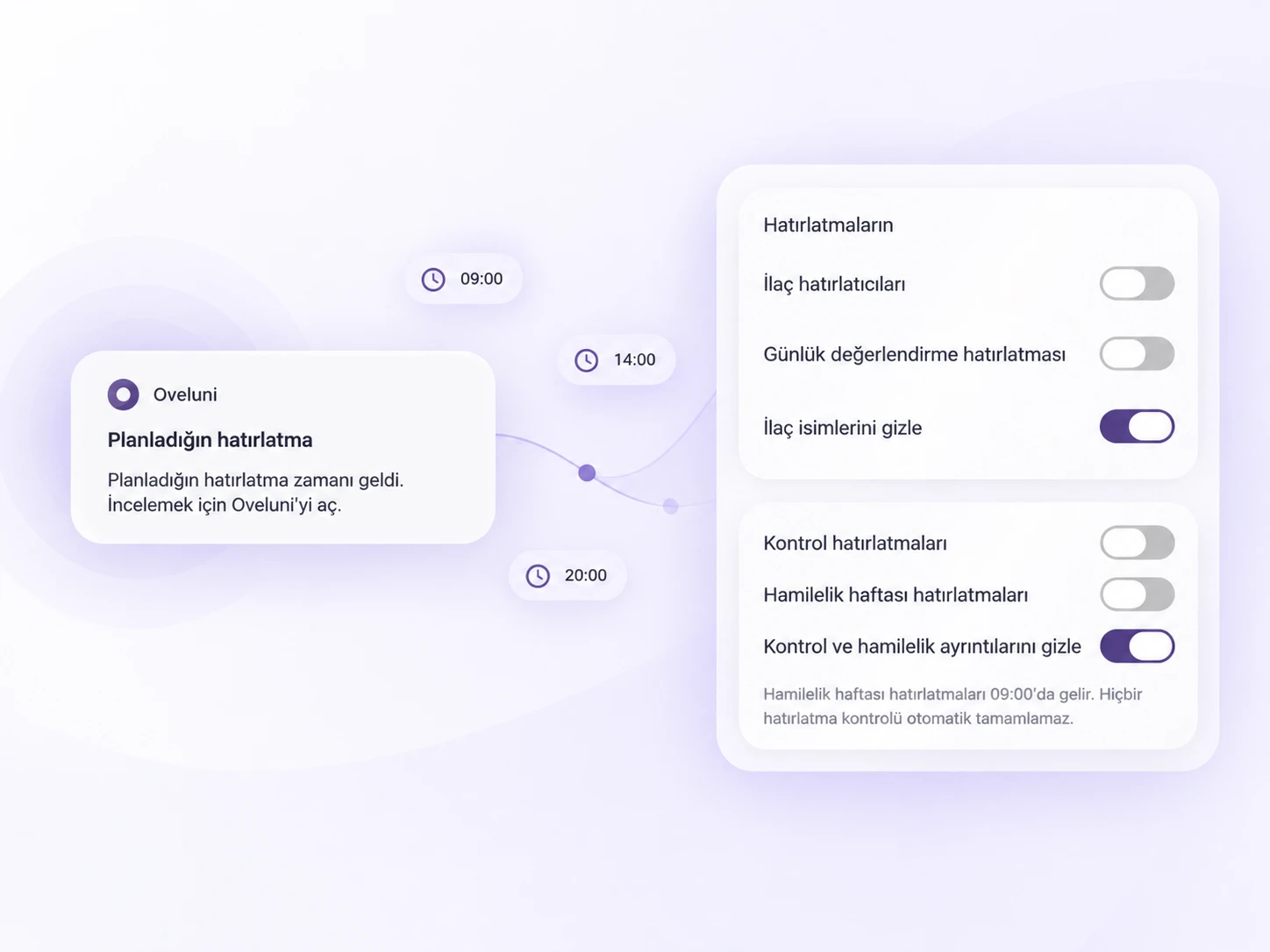
- Reminders: For each check-up you can choose a reminder a day before, an hour before, 15 minutes before, or at the check-up time. No reminder completes a check-up automatically; you use "Mark as completed" once the check-up happens. You can also turn on pregnancy week reminders if you'd like.
- Calendar: Your check-ups, medications, daily check-ins and women's health records appear side by side on the same calendar; tapping a day shows that day's full breakdown.
- Privacy: From Notification Privacy you can hide check-up and pregnancy details in notifications.
You can also reach doctor visits directly from the Women's Health screen. On your way to an appointment, you can save the date range you choose as a PDF report and take it with you.
This article is for general info only. It does not offer diagnosis or treatment; it provides practical suggestions on recording and tracking. Consult your doctor for health decisions. Last updated: 6 September 2026
Was this article helpful?
Thanks, we got your feedback.